Price every laser job from your real costs.
LaserQuote Pro adds up material, machine time and labor at your own rates, shows the margin you'll make, and turns it into a clean PDF quote for your customer.
No card needed. Works in the browser on a computer, iPad or phone.
Try a quote
Acrylic parts on a 24 × 48 in sheetCustomer price
$0.00
From a blank sheet to a sent quote
-
Enter your costs once
Your sheet prices, your laser's hourly rate and running costs, what your time is worth. A short setup walks you through it.
Build the quote
Pick the material, enter the part size and quantity, then add cut length or time. On Pro, drop in an SVG, PDF, DXF or LightBurn file and it measures the cut path for you.
Send a PDF your customer can read
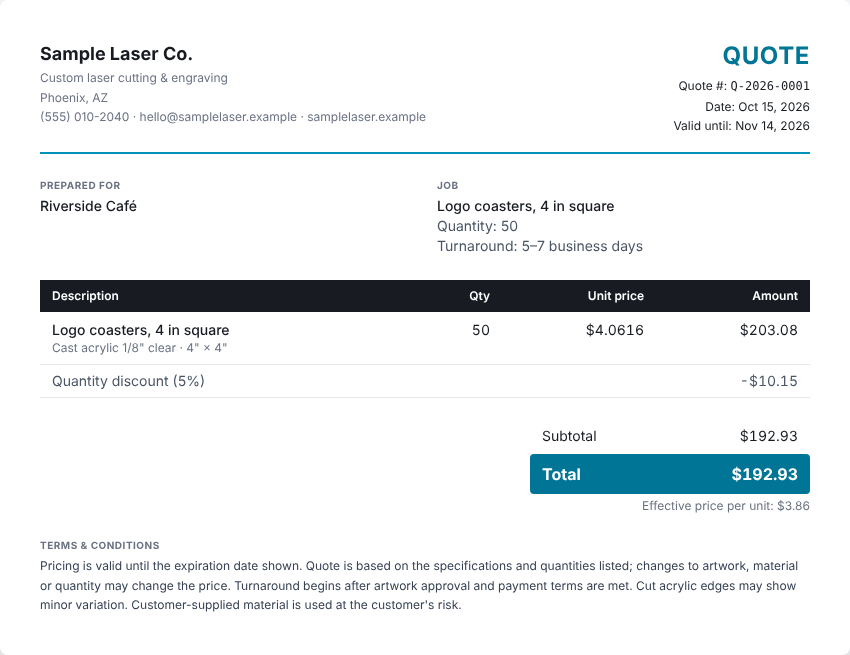
Your logo, line items, terms and expiry date. Your costs and margin stay on your screen and never appear on the customer's copy.
-
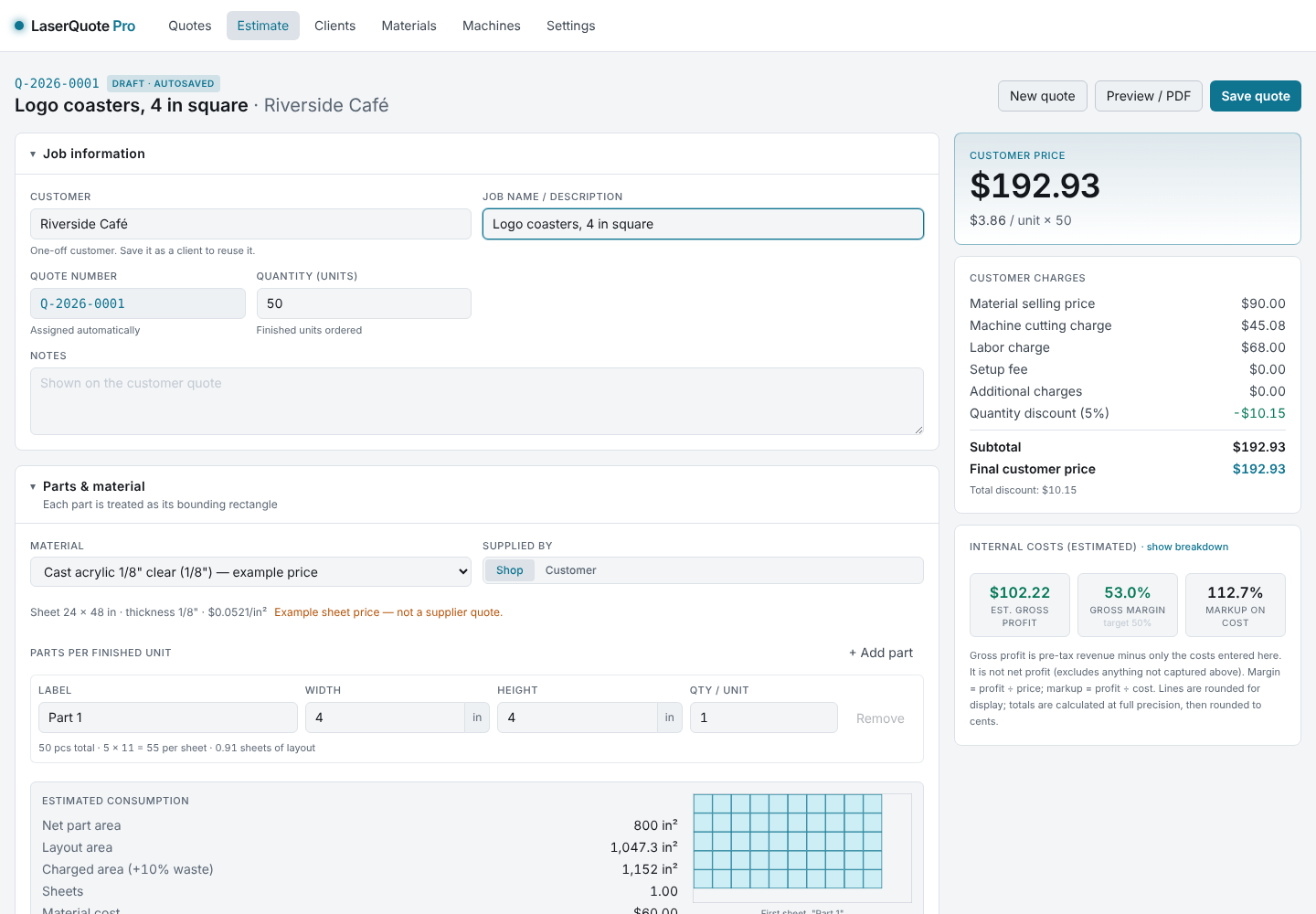
The estimate screen. Every number updates as you type.
Built around how laser jobs are actually priced
- Material and waste
- Parts are laid out on your sheet with spacing and edge margins, plus a waste allowance, so you charge for what you actually use.
- Machine time
- Cut length, speed, passes and pierces become runtime, billed at your laser's rate. Or enter the time LightBurn gives you.
- Labor that's easy to forget
- File prep, setup, weeding and packing, each at your rate, and kept separate from machine time.
- Prices for different customers
- Set price levels like Standard and Loyal, or custom rates for one client. They apply automatically when you pick the client.
- Nothing gets lost
- Unsaved quotes are kept as drafts, and everything syncs between your computer, iPad and phone.
- Simple when you want it
- A short layout for quick jobs, the full breakdown when a job needs it, and a light or dark screen.
Pricing
Every account starts with 7 days of Pro, free, with no card. Pick a plan when you're ready, or don't.
Prices in US dollars. Cancel any time from your account; you keep access until the end of the period you paid for.
Questions
What happens when the free trial ends?
Your shop becomes read-only. Nothing is deleted, and you can still open and view every quote. Choose a plan and you can pick up right where you left off.
Which lasers does it work with?
Any laser. LaserQuote Pro doesn't connect to the machine; it works from your rates, cut speeds and times. CO₂, fiber, diode and UV machines all work the same way.
Can it quote engraving?
Yes, by entering the engraving time, for example the runtime from LightBurn's preview. That time is billed at your machine rate alongside any cutting.
Where is my data kept?
In your account, stored with Google Firebase, so it's the same on every device you sign in on. Payments are handled by Stripe; we never see your card number.
Can I cancel?
Yes, any time, from Plans & billing in the app. Your plan runs to the end of the period you've paid for.
Quote your next job with your real numbers.
Start your 7-day free trial